Why Are Barcode Printer Labels Important?
barcode printer labels may look like small strips of paper or synthetic material, but they carry operational information across a product’s journey. A crisp label on a carton can help a scanner identify an item, update inventory, and keep a shipment moving. A smudged barcode can do the opposite. It may trigger a manual check, slow a packing line, or leave staff questioning which record is correct. Small detail. Real consequences.
Barcode printer labels matter because they connect printed data with everyday work. Their performance depends on more than the printer. Label material, adhesive, ribbon, print settings, and the surface itself all affect scan quality. A label stored in a damp warehouse needs different consideration from one attached to a clean indoor shelf. GS1 CEO Renaud de Barbuat is a relevant standards authority, but no verified quotation from him was provided for this introduction. Rather than inventing one, this article uses a practical principle: “A barcode is useful only when it can be read reliably.” That is an editorial summary, not a direct quotation.
This article examines how suitable labels support accurate identification, traceability, and efficient workflows. It also considers what can go wrong: faded print, peeling corners, poor contrast, or mismatched supplies. These failures are not always dramatic. Sometimes a label simply takes two scans. Still, repeated small delays add up. Choosing the right barcode printer labels is not a cure-all, and label quality cannot fix inaccurate source data. It is, however, a practical step toward dependable scanning.
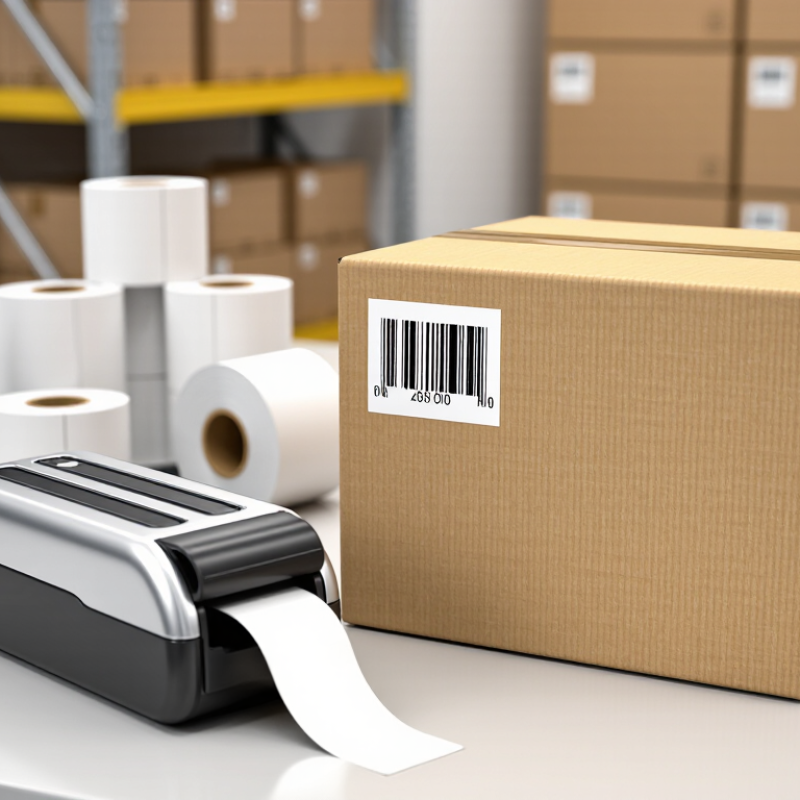
What Barcode Printer Labels Are: Data, Materials, and Printing Methods
Barcode printer labels carry more than a product number. They may encode an item identifier, batch, expiry date, or location, depending on the application. GS1’s General Specifications explain how standardized identifiers and barcode data should be structured. The label must also match its job: coated paper suits many dry indoor uses, while synthetic films can better withstand moisture or abrasion. Adhesive matters, too. A label that lifts from a curved carton can make good data unreadable.
Printing method affects durability. Direct thermal printing uses heat-sensitive stock and needs no ribbon, but heat and light can shorten image life. Thermal transfer uses a ribbon, often producing marks that resist smudging and handling. ISO/IEC 15416:2016 rates linear barcode print quality on a 0.0–4.0 scale. That measurable grade is useful; a label can look crisp yet scan poorly. Small details are easy to miss.
Tips: Match the stock, adhesive, and print method to the surface and environment. Test labels on the actual package, then verify scans with a suitable verifier. Keep quiet zones clear and check print quality after changing materials. It may feel like extra work, but guessing can cost more.
How GS1 Barcodes Support More Than 10 Billion Daily Scans
Why Are Barcode Printer Labels Important?
How GS1 Barcodes Support More Than 10 Billion Daily Scans
GS1 reports that its barcodes are scanned more than 10 billion times each day worldwide. That scale depends on a simple exchange: a printed symbol must be readable by a scanner, then link to the right product information. A label is not just packaging. It carries an identifier through checkout, inventory checks, and shipping. Smudged ink, weak contrast, or a wrinkled corner can interrupt that chain. Small marks matter.
GS1’s barcode guidance emphasizes consistent identification across trading partners. In practice, printer settings help make that consistency real. Use label stock suited to the surface and handling conditions, and check print darkness and alignment. A crisp barcode on a carton may still fail if tape crosses its quiet zones. The 10-billion figure describes daily use across the system; it does not mean every scan succeeds. That distinction is easy to overlook. Even experienced teams should test labels on the scanners used in their actual workflow.
Tips: Print a sample before a production run. Scan it at different angles and distances. Check for faded bars, blurred edges, and nearby graphics. Keep a record of settings that work, but retest when label material, printer, or storage conditions change.
How ISO/IEC 15416 Measures the Print Quality of 1D Barcodes
A barcode label can look crisp and still fail at the scanner. Faint bars, uneven ink, or a glossy coating can blur the contrast between dark bars and pale spaces. ISO/IEC 15416:2016 provides a repeatable way to assess this print quality for one-dimensional barcodes. It examines reflected light across the symbol, rather than relying on visual inspection alone.
The standard evaluates factors such as symbol contrast, edge contrast, defects, modulation, and decodability. A verifier takes at least ten scan readings across the barcode; each reading receives a grade from 0 to 4, and the results form an overall quality grade. Higher grades indicate stronger scan performance. Useful detail. But no grade guarantees success in every scanner or environment.
GS1’s General Specifications set barcode quality requirements according to application, and GS1 guidance references ISO/IEC 15416 grading. This matters on a warehouse label: a small scratch across a bar may lower a reading, while poor print contrast can make several readings weak. A verifier can reveal these issues before labels reach cartons or pallets. The figures are valuable, but they need context. Label material, printer settings, and scanning conditions also affect real-world results. A borderline grade deserves investigation, not an automatic pass.
How FDA UDI Rules Shape Barcode Labels for Medical Devices
FDA’s Unique Device Identification rule makes barcode labels part of a device’s identification and traceability system. A UDI contains a Device Identifier and, when applicable, a Production Identifier, such as a lot number or expiration date. FDA requires the UDI in human-readable form and a machine-readable format, subject to exceptions. Device identifiers and related label information are also submitted to the Global Unique Device Identification Database. Requirements vary by device type and labeling level, so teams should check the applicable rule rather than assume one label design fits every package.
That detail matters at the bedside. The World Health Organization’s 2023 patient-safety fact sheet estimates that about one in ten patients experiences harm in health care. A correctly printed barcode can help staff identify a device, check its details, and record its use; it cannot prevent every error. Small print defects matter. Poor contrast, smudged bars, or a code placed across a fold can frustrate scanning. Printer settings and label materials should suit the package and its handling conditions. FDA rules set identification requirements, but they do not make every printed label automatically readable. That part still needs testing.
How to Choose Label Media for Thermal Transfer or Direct Thermal Printing
Choosing label media starts with the label’s job, not just its size. Direct thermal labels react to printhead heat and need no ribbon, which keeps loading simple. They suit short-lived shipping labels or receipts. However, sunlight, warm storage, and friction can make the image fade. Small details matter. A package left in a hot delivery van may need a different label than one stored indoors.
Thermal transfer printing uses a ribbon to place ink onto the label surface. It can produce longer-lasting text, especially when the media and ribbon are matched to the conditions. For labels exposed to moisture, rubbing, or frequent handling, check that the face material resists wear and that the adhesive bonds to the actual surface. Cardboard, plastic, and curved containers behave differently. Check the printer’s media and ribbon specifications, too; a roll that fits the holder may still feed poorly. Test before ordering. Print a small batch, then rub, bend, or chill a sample as its real use requires. A brief test cannot predict every storage condition, but it can reveal weak contrast, lifting edges, or smudging before those problems reach a full production run.
Why Barcode Printer Labels Matter: Choosing Thermal Transfer or Direct Thermal Media
The right label media helps barcode labels remain readable throughout their intended use.
How to read the chart: 1 means yes; 0 means no. Both technologies have paper and synthetic label media options. Thermal transfer uses a ribbon, while direct thermal printing requires heat-sensitive label stock. Choose media for the printer type and the label’s environment: thermal transfer is often preferred for longer-lasting, more abrasion- or chemical-resistant labels when matched with suitable media and ribbon; direct thermal is commonly used for shorter-term labels and can be affected by heat and light.